
Most people judge an office chair in the first thirty seconds: it feels soft, it looks substantial, and it goes on the shortlist. That test rewards padding, not support, and it says nothing about how the chair behaves in the sixth hour of a working day. An ergonomic office chair earns the description through adjustment, by letting the seat, back and arms be set to the person and not the reverse. Knowing which adjustments matter, and how to test them, makes the purchase far less of a gamble.
Why Softness Is a Poor Guide
Thick cushioning feels welcoming in a showroom because it spreads pressure for a few minutes. Over a longer period soft foam compresses, the pelvis sinks and rolls backwards, and the lower spine loses its natural curve. A firmer seat with a shaped front edge usually holds posture more consistently. The useful question is not whether the chair feels comfortable immediately, but whether it keeps the sitter upright without effort after an hour of ordinary work at a screen.
Seat Height and the Gas Lift
Height adjustment is the baseline. With the chair set correctly, feet rest flat on the floor, thighs are roughly level and the knees sit at about a right angle. Check the range against the people who will use it, because a cylinder suited to an average build may leave a shorter person with dangling feet or a taller one with raised knees. Where desks are fixed and high, a footrest may be needed as well, and that should be budgeted for at the outset.
Seat Depth and the Front Edge
Seat depth is the adjustment most often missing from cheaper models. A seat that is too deep presses behind the knees or forces the sitter to perch forward, away from the backrest. A sliding seat pan lets the user leave a gap of a few fingers between the seat edge and the back of the knee. A rounded, downward-curving front edge also reduces pressure under the thighs, which matters more the longer someone stays seated without a break.
Lumbar Support That Actually Moves
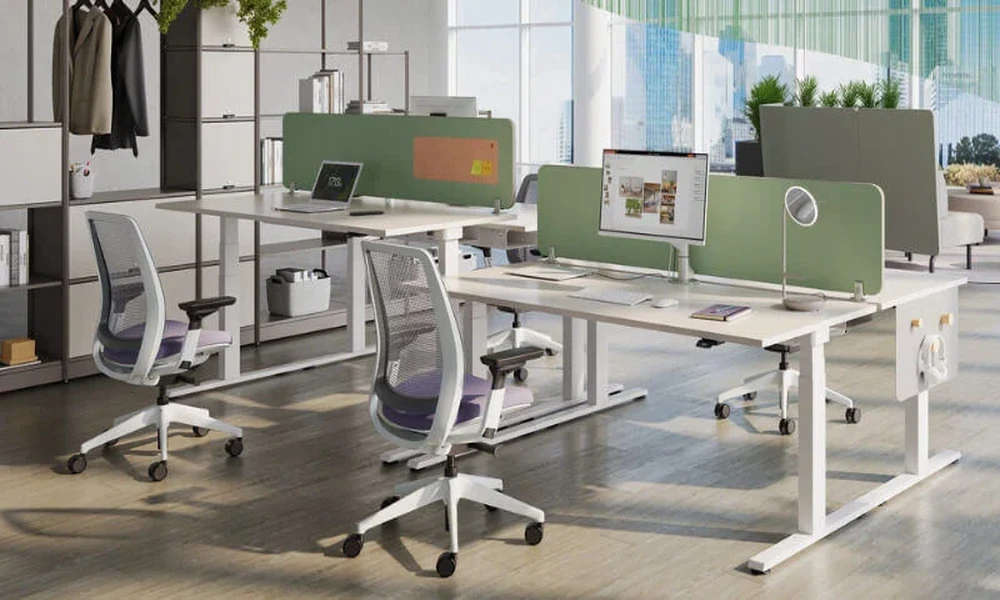
A fixed bulge in the backrest fits some spines and misses others. Look for lumbar support that adjusts in height at least, and ideally in depth, so the curve meets the small of the back and not the ribs or the belt line. A well-specified task chair with adjustable lumbar support lets each user set this in seconds. In shared or hot-desking offices that speed matters, because an adjustment that is awkward to reach is one that nobody will bother to use.
Recline, Tilt Tension and Locking
Sitting rigidly upright all day is neither realistic nor desirable. A good mechanism allows the backrest to recline with the body, with tension that can be matched to the sitter’s weight so that leaning back needs neither a shove nor a fight. Synchronised mechanisms, where seat and back move together at different rates, keep the feet grounded during recline. A lock at several positions is useful, though the free-floating setting tends to encourage more of the small movements that reduce stiffness.
Armrests and the Desk Edge
Armrests should support the forearms lightly with the shoulders relaxed, not hunched. Height adjustment is the minimum; width and pivot adjustment help people who type for long periods or who are narrower or broader than average. Check, too, whether the arms clear the desk. Armrests that collide with the worktop keep the sitter too far from the screen and encourage leaning forward, which undoes most of what the backrest was meant to achieve.
Mesh, Fabric and the Local Climate
Upholstery is partly a matter of taste, but conditions count. Mesh backs allow air to circulate and suit offices where air conditioning is uneven or switched off after hours. Fabric over moulded foam feels warmer and can offer more contoured support. Leather and its imitations wipe clean but hold heat. Whatever the material, ask how the seat foam is made, since moulded foam generally keeps its shape longer than cut foam of the same thickness.
Base, Castors and Build Quality
The parts beneath the seat decide how long the chair lasts. A five-star base in aluminium or reinforced nylon, a gas lift from a recognised component maker and castors matched to the floor are the points to check. Hard castors suit carpet, while softer ones protect vinyl and timber. Ask what weight the chair is rated for and whether it has been tested to a recognised furniture standard, and expect a clear answer, not a general assurance.
Warranty, Parts and After-Sales Support
A chair is a mechanical product and its components wear. Find out how long the warranty runs, whether it covers the mechanism and gas lift or only the frame, and whether arm pads, castors and cylinders can be replaced individually. For an office buying in quantity, the availability of the same model in two or three years is also relevant, since a mismatched replacement batch complicates both maintenance and the appearance of the floor.
Making the Final Choice
Shortlist on adjustments first and appearance second. Sit in each candidate for at least fifteen minutes, set every control, and have the shortest and tallest intended users do the same. Compare warranties and parts availability before comparing price, since a cheaper chair replaced twice costs more than a better one bought once. Where a showroom visit is impractical, study the specification of a fully adjustable office chair line by line and confirm the return terms before committing to a bulk order.